Scaling K-12 Web Systems
ParentSquare builds custom websites for hundreds of K-12 schools and districts every year, and most need to launch before the school year starts. I’m one of seven designers on that team. I focus on the systems that keep the work fast, consistent, and accessible: component layouts, brand governance, and tools that take repetitive work off our plates.
Peak-season delivery: Helping the team stay on schedule through the April–July back-to-school rush [add: number of sites launched in that window].
Accessibility at scale: Every site built to WCAG AA, with 100% meeting the standard at launch.
Brand protection after handoff: A library of locked Canva templates that keeps school sites on-brand long after we hand them over.
Cross-team research: Co-leading a company-wide persona project so every department designs for the same understanding of our customers.
Role: Senior Website & Brand Systems Designer
Project Type: Website Design
Year: 2025 - Present
Core Skills: Component Library Architecture, Creative Automation, Prompt Engineering, Generative AI (Image Creation), Post-Launch Brand Governance, Persona Development, Cross-Functional Leadership
The Challenge
Every school arrives with its own colors, fonts, logos, and content. The job is to turn all of that into a clear, accessible site that’s easy for families to navigate and live before the first day of school. During peak season, there’s no time to redo work.
What I Did
Sped up design without losing consistency. I build in Smart Sites, ParentSquare’s component-based CMS, and brought AI image generation and prompt engineering into our workflow. We use it to explore layouts and create custom imagery that fits each school’s brand standards.
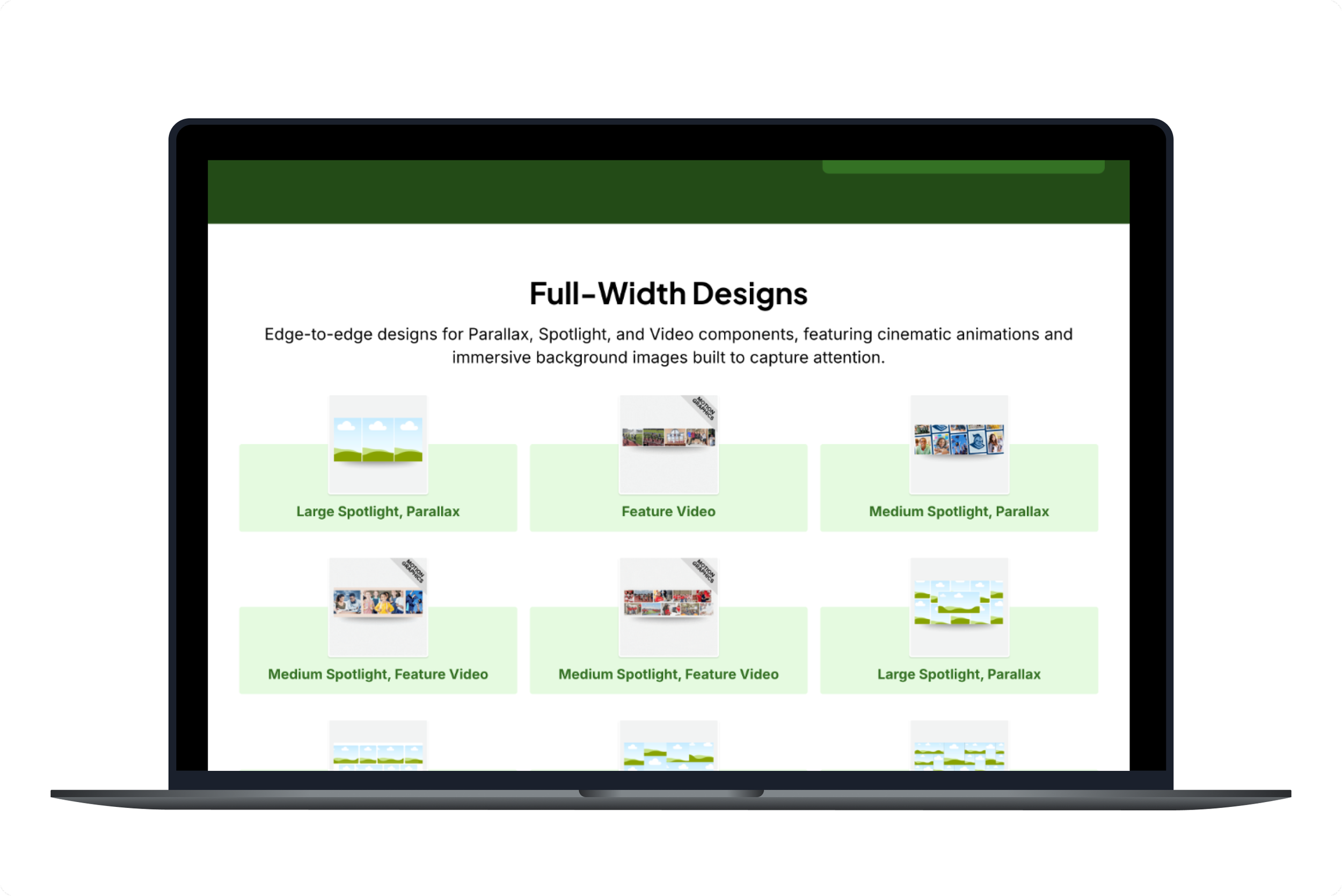
Kept sites from drifting after launch. Schools were often editing their sites in ways that broke the design. I built a system to build Canva templates so school staff can edit their graphics without breaking the layout we built for them.
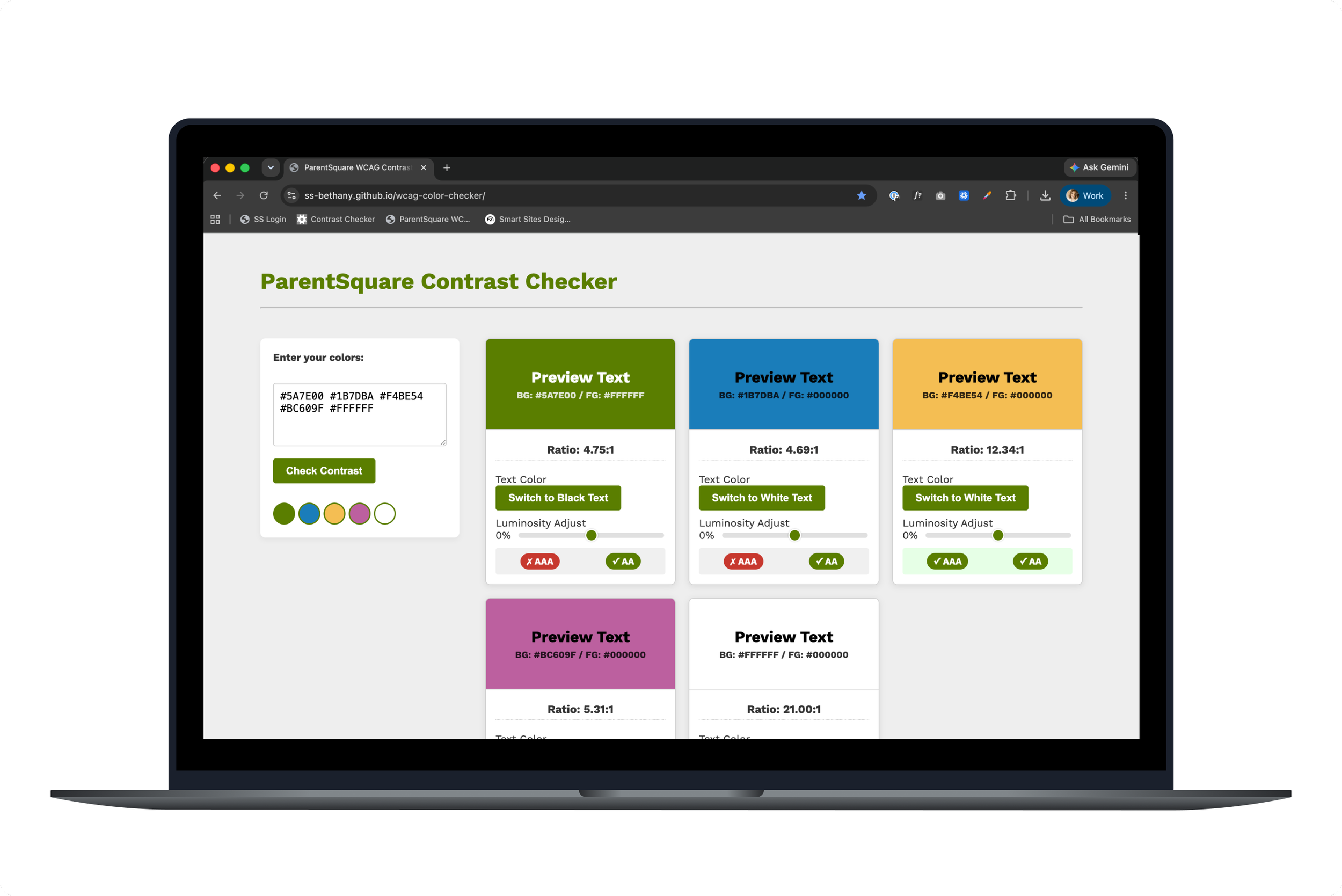
Made accessibility checks faster. Checking colors against WCAG contrast requirements one pair at a time was slowing down our reviews. I coded a contrast checker that tests an entire palette at once.
Started building a shared picture of our customers. I’m working with a cross-company team on one set of user personas that sales, customer success, and design can all use. It replaces the separate versions each team keeps today.
Canva Template LibraryWCAG Contrast CheckerThe Results
100% of sites met WCAG AA at launch
10% faster quality review with the contrast checker
30+ universal Canva templates that can be used by all schools
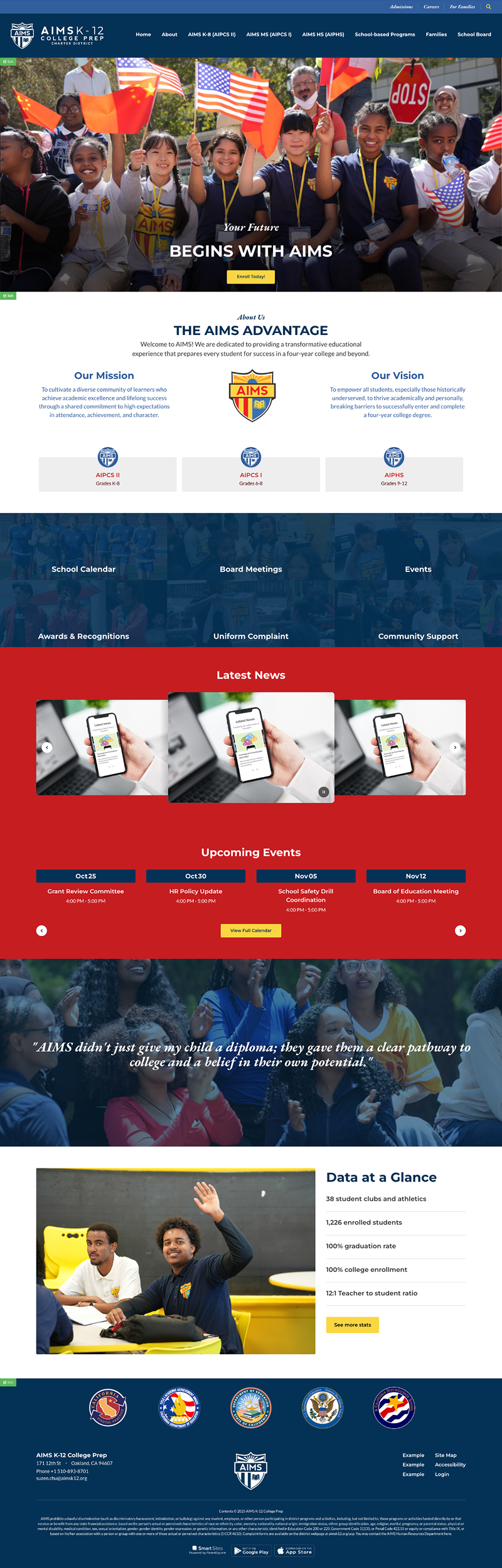
Website Designs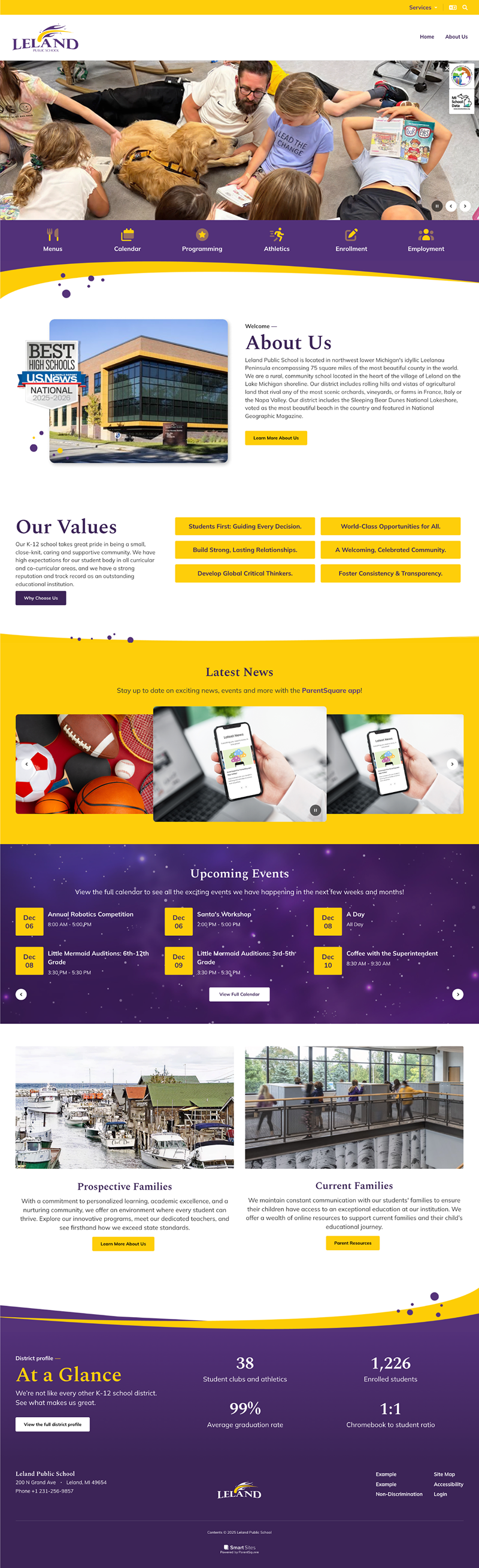
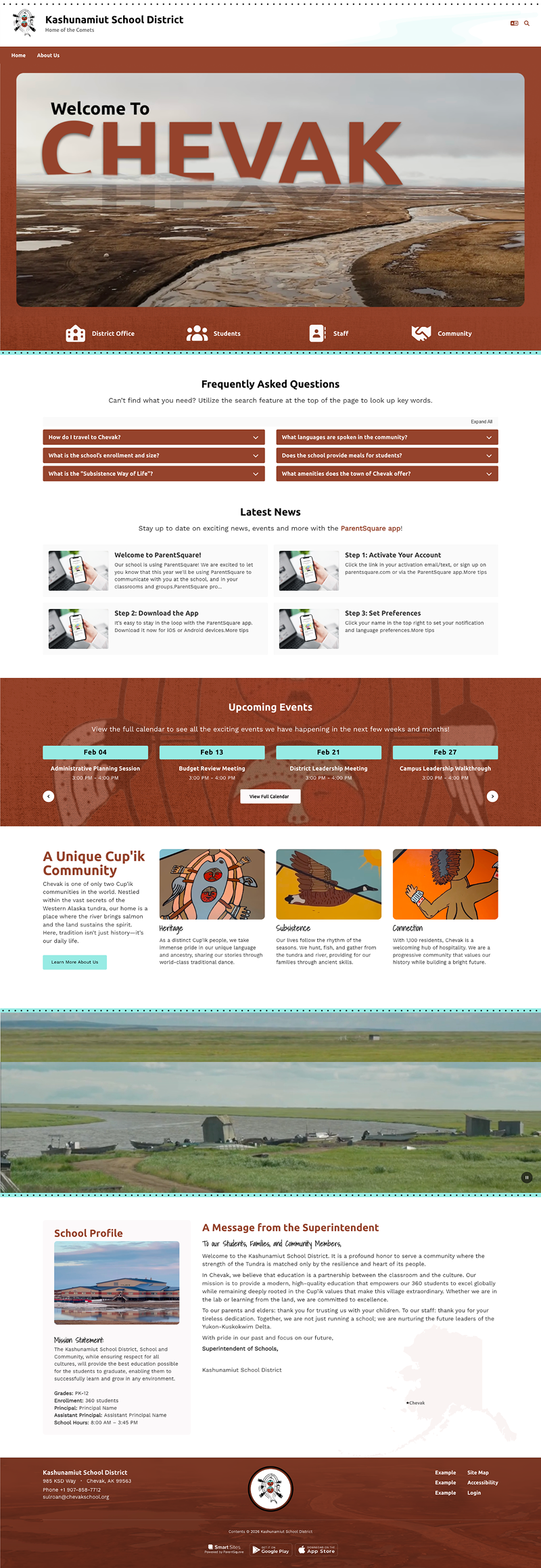
This fast job means you have to be excellent at managing your own time. You need to balance your own heavy workload while also helping lead other teams. Working independently and using smart AI helpers lets us design very quickly every day. However, our team wins biggest when we work together. We love to share our designs, review our website layouts as a group, and celebrate each other's visual breakthroughs during team critique sessions.